


To Do List
4.721.89K Reviews
App Specs
- Version
- 5.1.10
- Updated On
- License
- Free
- Downloads
- 10,000,000+
- Developer
- Splend Apps
- Categories
- Productivity
- Platform
- Android
Screenshots
 Analysis by AppCompare
For a task app, trust is less about grand promises and more about whether the experience feels understandable and manageable. I look for clear choices, a sensible fit for the work I need to do, and enough restraint that a simple reminder does not turn into another system to maintain. Splend Apps’ To Do List is a free productivity app, and its appeal is its straightforward focus: keeping everyday tasks visible so I can decide what needs attention next.
A practical fit for everyday planning
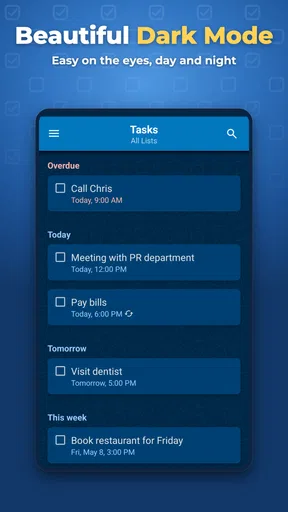
I would reach for this kind of list when I need a dependable place to collect errands, household jobs, and small work commitments, rather than a full project-management workspace. The familiar pattern of lists, tasks, deadlines, reminders, and priority markers makes it easy to get started without first designing a complicated workflow. That matters when I am making a list between other things and want to return to the task itself, not spend time learning an elaborate system.
A realistic day might begin with a work list and a personal list. I can put a call and a document deadline in the first, groceries and a parcel pickup in the second, then use priority to identify what cannot wait. A reminder can help bring a time-sensitive item back to mind, while the rest can remain as a simple checklist. The useful habit is to keep each task specific: “pick up milk” is easier to act on than “sort out groceries.”
There is also a small but important trade-off in using priority labels. They help when only a few tasks are marked as urgent; if I flag everything, the distinction disappears. I would treat priority as a decision tool, not a way to decorate the whole list. Likewise, deadlines work best for tasks with a real time constraint. Giving every minor chore a due date can make an otherwise calm list feel like a queue of overdue obligations.
What the simple approach does well—and where it stops
Compared with a paper notebook, this app offers reminders and a digital list I can keep with me, so it is more useful for tasks I might otherwise forget while out. Compared with a feature-heavy planner, its lighter structure can be quicker to maintain. That simplicity is a genuine strength for personal routines, but it is not automatically a fit for every kind of work.
If I were coordinating a complex project with dependencies, detailed status reporting, or lots of discussion around each task, I would choose a dedicated project tool instead. A basic task list can hold the action items, but it is not a substitute for a shared workspace built around project coordination. Similarly, people who want a highly customized planning method may prefer an app that gives them more control over layouts and workflows. The right choice depends on whether I value a quick list more than extensive configuration.
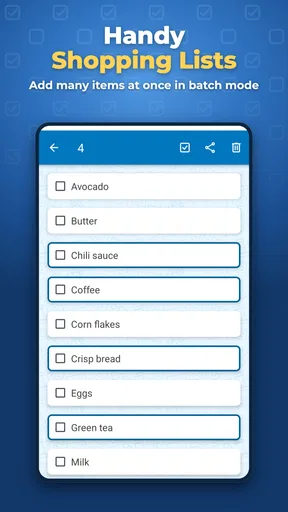
Sharing can be handy for a household or a small set of practical errands, as in the grocery-list example below. I would still keep shared items clear and concrete so everyone knows what needs doing. Syncing between devices is useful when I switch from phone to tablet, but I would not assume that syncing alone answers every question about account access, privacy, or how information is handled. For sensitive details, I would avoid putting private notes into a task unless I had checked the app’s current privacy information and was comfortable with it.
Worth Reading Before You Choose

EA SPORTS FC Mobile 26 Is a Bigger Football Game, but It Takes Time

Flipboard Shows What News Apps Must Do Beyond the Feed

Switching to Android Auto Means Rethinking Your Driving Routine

Google Calendar Makes a Crowded Week Easier to Manage

Ludo King Makes the Most of the Minutes Between Plans

Baby Panda World Brings Quick Play to Modern Phones, but Its Game Library Feels Busy
Trust, controls, and thoughtful use
For me, the key trust question is not whether an app makes a broad claim about privacy; it is whether I can make informed choices about what I enter and how I use it. A to-do list can reveal routines through its contents, so I keep entries focused on actions rather than storing passwords, personal identifiers, or confidential work details. That is a useful precaution with any task manager, especially when a list is shared or visible on more than one device.
I also recommend trying the app with low-sensitivity tasks first. Add a few ordinary errands, set one reminder, and check whether the list structure suits the way you think. Then decide what belongs there and what should stay in a more appropriate, protected place. If you are sharing a list, consider whether each entry is suitable for everyone who can access it, and keep the wording practical rather than including unnecessary personal context.
To Do List has a 4.7 average from around 933,000 ratings, and it has passed 10 million installs. It is rated for Everyone, with a current version of 5.1.10 and a minimum operating-system requirement of 7.0. The app was released on November 14, 2013, and optional in-app purchases are listed at $2.99 per item. I see those details as useful context, not a reason to assume the app will suit every device or planning style; it is sensible to check compatibility and any purchase choices before settling into a routine.
One practical question is whether I need to pay to make the basic approach worthwhile. The app is free to use, with in-app purchases available, so I would start with the free experience and only consider a purchase if I encounter a specific limitation that matters to me. Another is whether it is suitable for a shared household routine: the shared-list workflow can help with common errands, but I would keep expectations modest and agree on who is responsible for each item outside the list if ambiguity becomes a problem.
It is also worth asking whether this is the right choice for someone who plans primarily on a computer or needs elaborate team oversight. If a quick mobile-friendly checklist and reminders are the priority, the app’s simple style makes sense. If work depends on detailed collaboration or a broader view of project progress, a more specialized alternative will likely be a better match. I would not choose a task app only because it has many features; I would choose the one I can keep using without adding friction.
Ever feel like you're juggling a million things at once and could really use an extra hand? Well, that's where the To Do List app comes in. I’ve been using it for a while now, and let me tell you, it’s been a game changer for my productivity.
Getting Started with To Do List
First things first, downloading the To Do List app is a breeze. Whether you're an Android or iOS user, you can easily find it on the respective app stores. The installation process is quick, and before you know it, the app is ready to help you conquer your tasks.
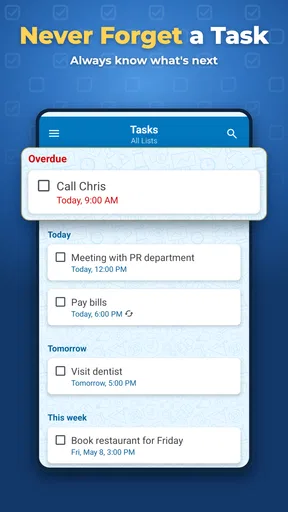
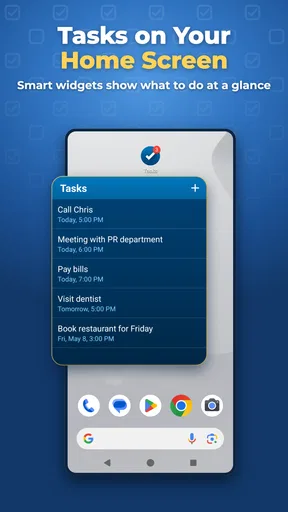
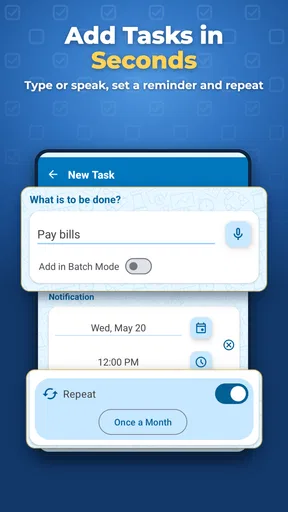
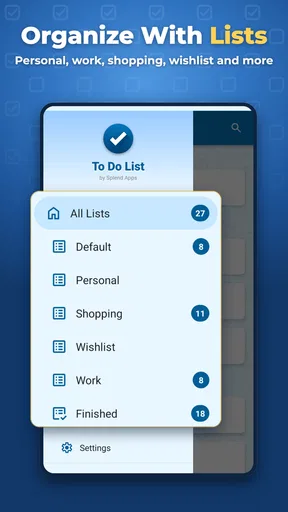
When you open the app, you're greeted with a clean and intuitive interface. The design is simple yet effective, ensuring that you can focus on what matters most – getting things done. Setting up your tasks is straightforward. You can create lists, add tasks, and even set deadlines with just a few taps. Trust me, even if you're not tech-savvy, you'll find this app incredibly user-friendly.
Features That Shine
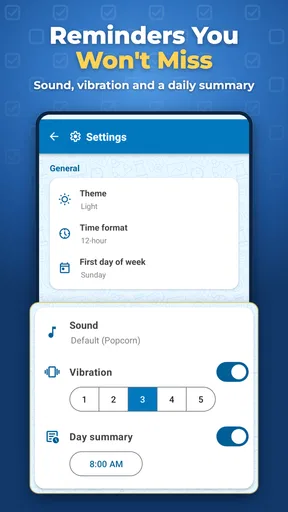
One of the first things I noticed was the app's flexibility. You can easily organize tasks by categories, making it super easy to keep track of everything from work projects to personal errands. Plus, the ability to set reminders ensures you never forget a deadline again. I’ve found these reminders to be a lifesaver, especially on those hectic days.
Another standout feature is the ability to prioritize tasks. You can mark tasks as high priority, so you know exactly what needs your attention first. This feature helps me tackle the most important items on my list without getting overwhelmed by everything else.
Collaboration Made Easy
If you’re working on team projects or just need to share tasks with family members, the app has got you covered. You can share lists and tasks with others, making collaboration a breeze. I’ve used this feature to coordinate grocery lists with my partner, and it’s made our shopping trips way more efficient.
Moreover, the app syncs seamlessly across devices. Whether I’m on my phone or my tablet, my to-do list is always up to date. This cross-device syncing has been incredibly useful, especially when I’m switching between devices throughout the day.
Why You'll Love It
The simplicity and efficiency of the To Do List app make it a must-have for anyone looking to boost their productivity. It’s packed with features that are designed to help you manage your tasks efficiently, without overwhelming you with unnecessary complexities. The app’s ability to adapt to your personal workflow is what makes it stand out. Whether you're scheduling meetings, planning a vacation, or just ticking off daily chores, this app has got your back.
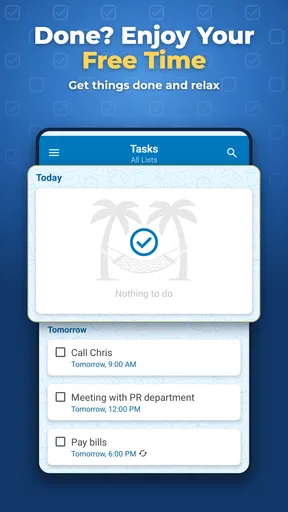
One of the things I love most is how the app encourages a sense of accomplishment. There’s nothing quite like the satisfaction of ticking off completed tasks. It’s a small victory that keeps me motivated to tackle more.
Final Thoughts
In a world where time is of the essence, having a reliable task manager like the To Do List app can truly make a difference. It’s easy to use, packed with essential features, and designed to fit seamlessly into your life. Whether you’re a busy professional or just someone looking to get more organized, this app is well worth trying out.
So, if you’re ready to take control of your tasks and boost your productivity, give the To Do List app a go. You might just find it’s the helping hand you’ve been looking for.
Pros
- User-friendly interface for quick task organization.
- Seamless syncing across multiple devices.
- Customizable reminders keep you on track.
- Integration with other productivity apps.
- Color-coded categories for easy task management.
Cons
- Limited features in the free version.
- Occasional sync delays can occur.
- No offline mode available.
- Ads can be intrusive in the free version.
- Lacks advanced project management tools.
FAQs for To Do List
What features does the To Do List app offer?
The To Do List app provides a comprehensive suite of features designed to enhance productivity. Users can create tasks, set deadlines, prioritize items, and categorize them by projects. The app also offers reminders, recurring task options, and integration with calendars to ensure you never miss a deadline.
Is the To Do List app free to use?
The To Do List app offers a free version with essential features for basic task management. For more advanced features such as collaboration tools, enhanced reminders, and custom themes, there is a premium version available through in-app purchases. This ensures flexibility based on user needs.
Can I sync my To Do List across multiple devices?
Yes, the To Do List app supports synchronization across multiple devices. By logging in with your account, your tasks and projects will be updated in real-time across all your devices. This is particularly useful for users who switch between a smartphone, tablet, and computer.
Does the To Do List app support collaboration with others?
The app offers collaboration features in its premium version, allowing users to share tasks and lists with others. This is ideal for team projects or family activities, as it lets members contribute to lists, assign tasks, and track progress collectively in real-time.
How secure is my data on the To Do List app?
The app takes data security seriously, employing encryption protocols to protect your information. Additionally, it offers options for password protection and biometric login for added security. Your data is stored securely on cloud servers, ensuring it is safe and accessible only by you.


